let’s start with the basics…
What is a Tag Manager tool?
A tag manager is a web-based tool that allows website owners to manage various types of tags or snippets of code, such as JavaScript or HTML, that are used to track user behavior, display ads, and perform other functions on their website. These tags can be stored on a third-party server and added to the website via the tag manager, which can simplify the process of adding and managing multiple tags on a website. The most known Tag Manager Tool is Google Tag Manager, learn more at documentation.
Why use a tag manager?
Before diving into the installation steps, let’s talk about why website owners would want to use a tag manager. Tag managers can provide a number of benefits, such as:
- Streamlining the process of adding and managing multiple tags on a website
- Reducing the risk of errors or conflicts between tags
- Making it easier to track user behavior and optimize marketing campaigns
Step #1 – Installation
To make things easy, I recommend installing the GTM4WP plugin to your WordPress project. Here’s how:
- Login to your WordPress admin panel.
- Go to the Plugins section and click Add New
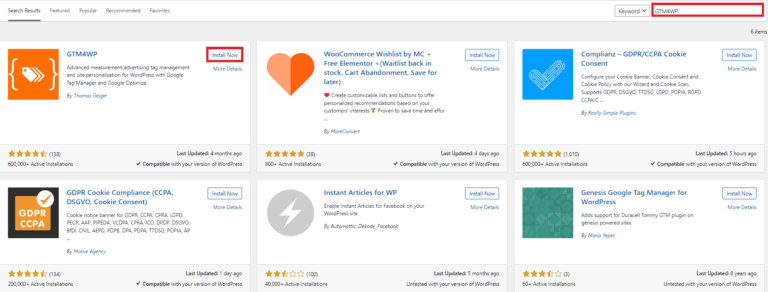
- Search for “GTM4WP“
- Click on “Install Now“
Step #2 – Activation
Once you’ve installed the GTM4WP plugin, you’ll need to activate it. Here’s how:
- Go to the Plugins section and select Installed Plugins.
- Find the “GTM4WP” plugin and click Activate.
Step #3 – Settings
Now, you need to set up your plugin by click on Settings.
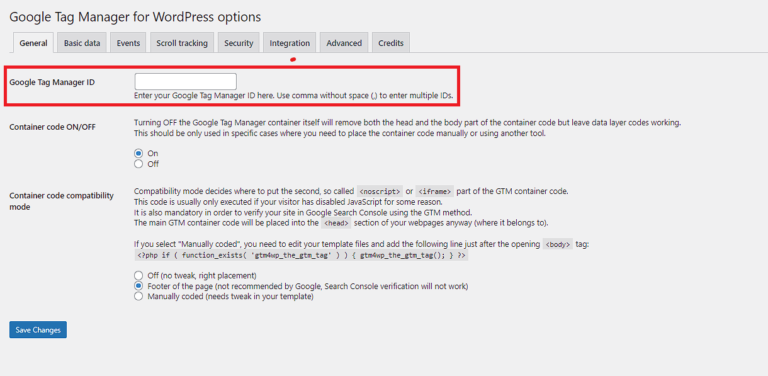
After that, need to add your Google Container ID. Login to your Account at https://tagmanager.google.com/ and copy your Container ID.
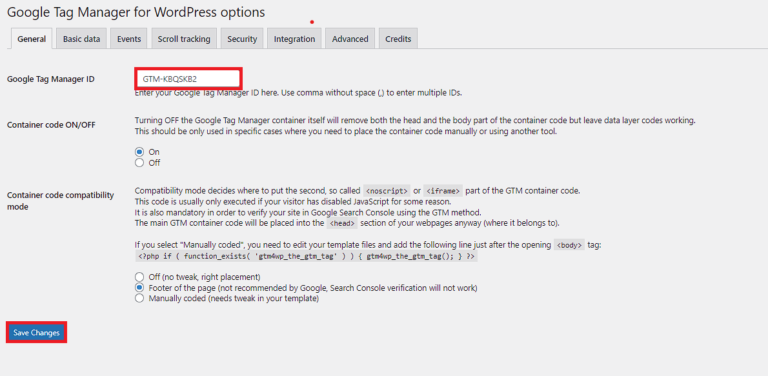
Now check that the Google Tag Management container has been added to this website.
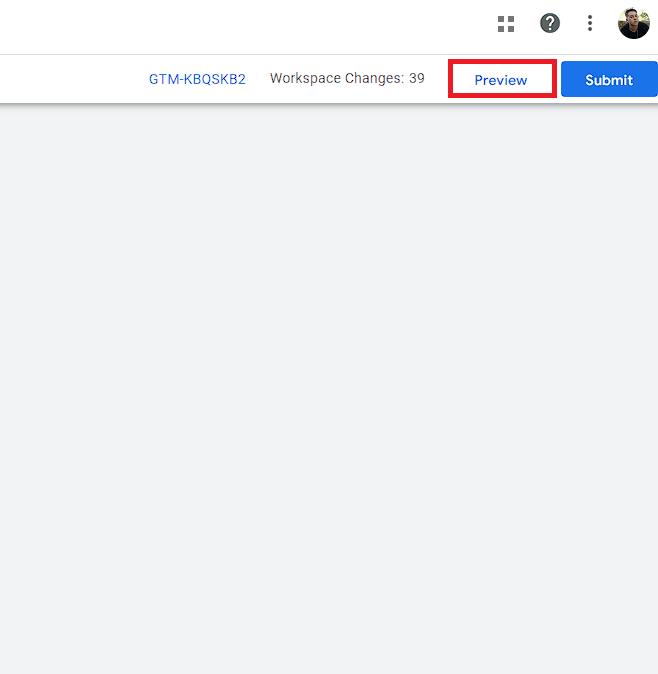
To refresh the container, return to the Google Tag Manager Workspace and click Preview.
GTM4WP is a powerful plugin that can help beginners with minimum knowledge implement Google Tag Manager in less than 2 minutes. But that’s not all. GTM4WP has multiple features and tools, including:
- Contact Form 7 integration: This allows you to easily track form submissions from your website.
- WooCommerce integration: This allows you to track e-commerce transactions and other events on your online store.
- Google Optimize (sunset on September 30, 2023): This allows you to easily create and test different versions of your website.
- Accelerated Mobile Pages: This allows you to track user behavior on AMP pages.
- Cookiebot: This helps ensure that your website is compliant with GDPR regulations.
In conclusion, GTM4WP is an excellent tool for website owners who want to simplify the process of adding and managing multiple tags on their website. With its easy installation process and powerful features, it’s a great choice for beginners and advanced users alike.